WhatsApp API for Marketing Campaigns: 7 Proven Ways to Boost Sales in 2026

WhatsApp API for Marketing Campaigns: 7 Proven Ways to Boost Sales in 2026
WhatsApp API for Marketing Campaigns is quickly becoming the most powerful tool for online businesses that want to reach customers directly, build trust, and drive repeat sales. With over 2 billion active users worldwide, WhatsApp is no longer just a personal messaging app — it is now one of the highest-converting marketing channels available to e-commerce brands, service providers, and local shops alike.
If you run an online store like vbmshops.com, you already know how difficult it can be to cut through crowded email inboxes and expensive ad platforms. This is exactly where the WhatsApp API for Marketing Campaigns changes the game — giving you a direct line to your customers with open rates that regularly exceed 90%.
In this guide, we’ll break down everything you need to know: what the WhatsApp Business API is, why it outperforms traditional marketing channels, and seven proven strategies you can start using this week.
Table of Contents
- What Is the WhatsApp API for Marketing Campaigns?
- Why Businesses Are Switching to WhatsApp API Marketing
- WhatsApp API vs. the Free WhatsApp Business App
- 7 Proven Ways to Use WhatsApp API for Marketing Campaigns
- How to Set Up WhatsApp API for Your Business
- Best Practices to Stay Compliant and Avoid Bans
- Measuring the ROI of Your WhatsApp Campaigns
- Final Thoughts
What Is the WhatsApp API for Marketing Campaigns?
The WhatsApp Business Platform (commonly called the WhatsApp API) is an official, developer-level integration that allows businesses to connect their systems — CRMs, e-commerce platforms, and customer support tools — directly to WhatsApp at scale.
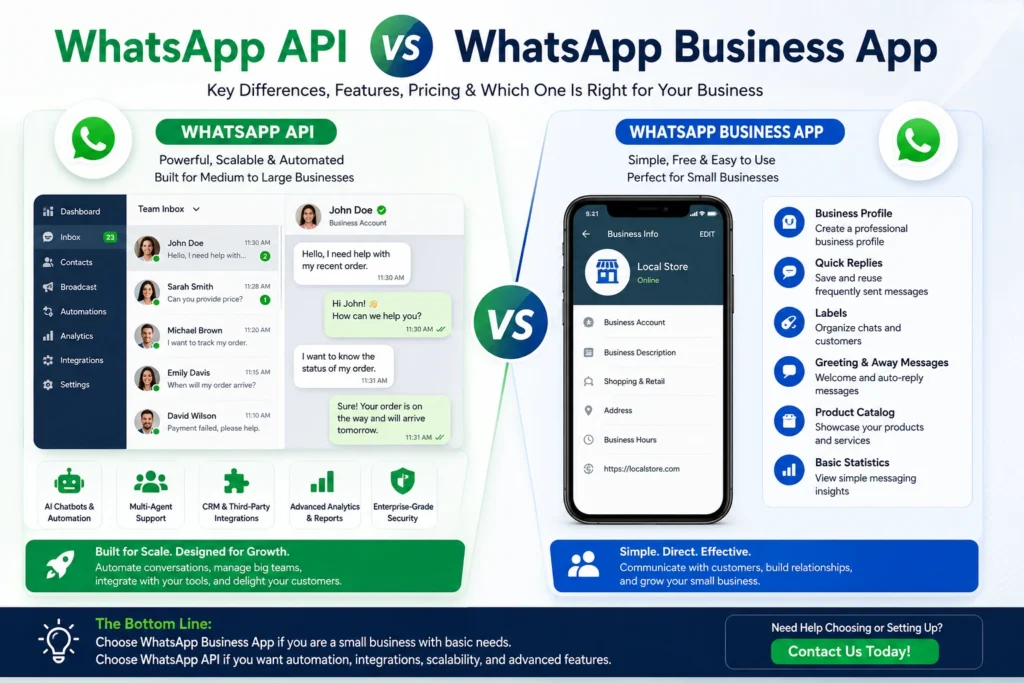
Unlike the regular WhatsApp Business App, which is designed for small teams manually replying to a handful of chats, the API is built for automation and volume. It allows you to:
- Send bulk promotional messages to opted-in customers
- Trigger automated order confirmations, shipping updates, and abandoned-cart reminders
- Run chatbots that answer FAQs instantly, 24/7
- Segment your audience and personalize offers at scale
For any growing store, the WhatsApp API for Marketing Campaigns essentially turns your customer list into an always-on sales channel.
Why Businesses Are Switching to WhatsApp API Marketing
Marketing budgets are shrinking in value every year. Cost-per-click on Facebook and Google keeps rising, email open rates hover around 15-20%, and SMS feels outdated. Meanwhile, WhatsApp messages get opened almost immediately — most within three minutes of being sent.
Here’s why marketers are prioritizing WhatsApp API campaigns in 2026:
- Higher engagement: Read rates of 90%+ compared to 20% for email
- Rich media support: Send images, product catalogs, PDFs, and videos in one chat
- Two-way conversations: Customers can ask questions and get answers instantly
- Automation at scale: Serve thousands of customers without hiring a large support team
- Lower cost per conversion: No bidding wars, no algorithm changes to worry about
For businesses selling physical products — like fashion, electronics, or home goods — this channel is proving especially effective for cart recovery and repeat-purchase campaigns.
WhatsApp API vs. the Free WhatsApp Business App
A common question is whether you actually need the API, or if the free WhatsApp Business App is enough. Here’s a quick comparison:
| Feature | WhatsApp Business App | WhatsApp API |
|---|---|---|
| Best for | Solo entrepreneurs, small shops | Growing and scaling businesses |
| Bulk messaging | Not supported (risk of ban) | Fully supported with templates |
| Automation/chatbots | Basic auto-replies only | Advanced, CRM-integrated bots |
| Multi-agent access | Limited | Unlimited team members |
| Analytics | None | Detailed delivery/read reports |
| Official Meta approval | N/A | Verified Green Tick eligible |
If you’re sending more than a few dozen messages a day, or you want automation that actually scales with your business, the API is the only sustainable path forward.
7 Proven Ways to Use WhatsApp API for Marketing Campaigns
1. Abandoned Cart Recovery
Most online stores lose 60-80% of potential sales to abandoned carts. A well-timed WhatsApp message — “Hi! You left something in your cart 🛒” — with a direct checkout link can recover a significant share of that lost revenue automatically.
2. Personalized Product Recommendations
Using purchase history, you can trigger messages like “Customers who bought this also loved…” This keeps your WhatsApp API for Marketing Campaigns strategy relevant instead of feeling like spam.
3. Flash Sale and Offer Broadcasts
Send time-sensitive discount codes to your entire opted-in list in seconds. Because WhatsApp messages are read almost instantly, this works far better than email for urgency-driven promotions.
4. Order Updates That Double as Marketing Touchpoints
Every shipping confirmation or delivery update is a chance to say “Thank you” and gently upsell a related product — without feeling pushy.
5. Customer Support Automation
Chatbots built on the API can instantly answer common questions (delivery time, return policy, sizing) at any hour, freeing your team to focus on complex issues.
6. Re-engagement Campaigns for Dormant Customers
Segment customers who haven’t purchased in 60-90 days and send a targeted “We miss you” message with a small incentive to bring them back.
7. Interactive Catalogs and Click-to-WhatsApp Ads
Combine Facebook and Instagram ads with a “Click to WhatsApp” button so interested shoppers land straight in a chat with your product catalog, ready to buy. You can learn more about setting these up through Meta’s official Business Help Center.
How to Set Up WhatsApp API for Your Business
Getting started with the WhatsApp API for Marketing Campaigns generally involves these steps:
- Choose a Business Solution Provider (BSP) — an official Meta partner that gives you access to the API.
- Verify your business with Meta to unlock the green checkmark and higher messaging limits.
- Create approved message templates for promotions, order updates, and reminders.
- Integrate with your store or CRM so triggers (like a new order or an abandoned cart) fire messages automatically.
- Build your opt-in list — customers must give consent before receiving marketing messages.
- Launch and monitor your first campaigns, tracking delivery and read rates closely.
If you’re managing a store like vbmshops.com, integrating your product catalog directly into WhatsApp can shorten the path from “interested” to “purchased” dramatically.
Best Practices to Stay Compliant and Avoid Bans
WhatsApp takes spam seriously, and violating policy can get your number blocked. Keep these rules in mind:
- Always get explicit opt-in consent before sending marketing messages
- Use pre-approved message templates for promotional content
- Avoid excessive frequency — quality over quantity
- Give customers an easy way to opt out
- Personalize messages instead of sending generic blasts
Following these guidelines keeps your WhatsApp API for Marketing Campaigns effective and sustainable long-term.
Measuring the ROI of Your WhatsApp Campaigns
To know if your campaigns are working, track:
- Delivery rate — percentage of messages successfully sent
- Read rate — how many recipients opened the message
- Click-through rate — how many clicked your link or button
- Conversion rate — how many completed a purchase
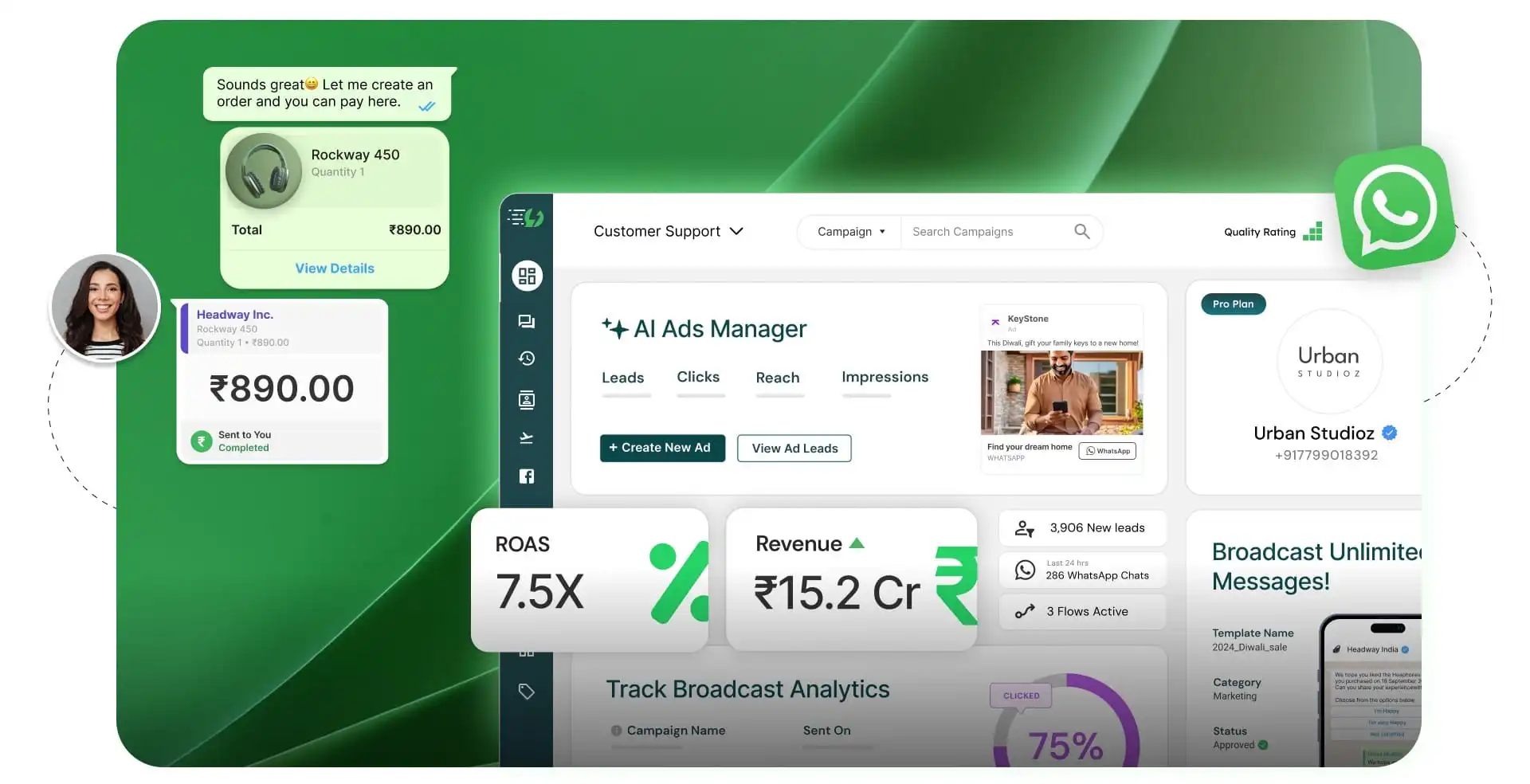
- Cost per conversion — compared against email, SMS, or paid ads
Most businesses find that WhatsApp campaigns deliver a noticeably lower cost per conversion than traditional paid advertising, especially for repeat customers.
Final Thoughts
The WhatsApp API for Marketing Campaigns is no longer a “nice to have” — it’s becoming essential for any business that wants to build direct, high-converting relationships with customers. From recovering abandoned carts to running instant flash sales, the API turns your customer list into one of your most valuable marketing assets.
If you’re ready to see this in action, browse how an active online store uses direct customer engagement at vbmshops.com, or explore Meta’s official resources at the WhatsApp Business Help Center to get started with your own integration.