
Ultimate WhatsApp API vs WhatsApp Business App Guide (2026): Key Differences Explained

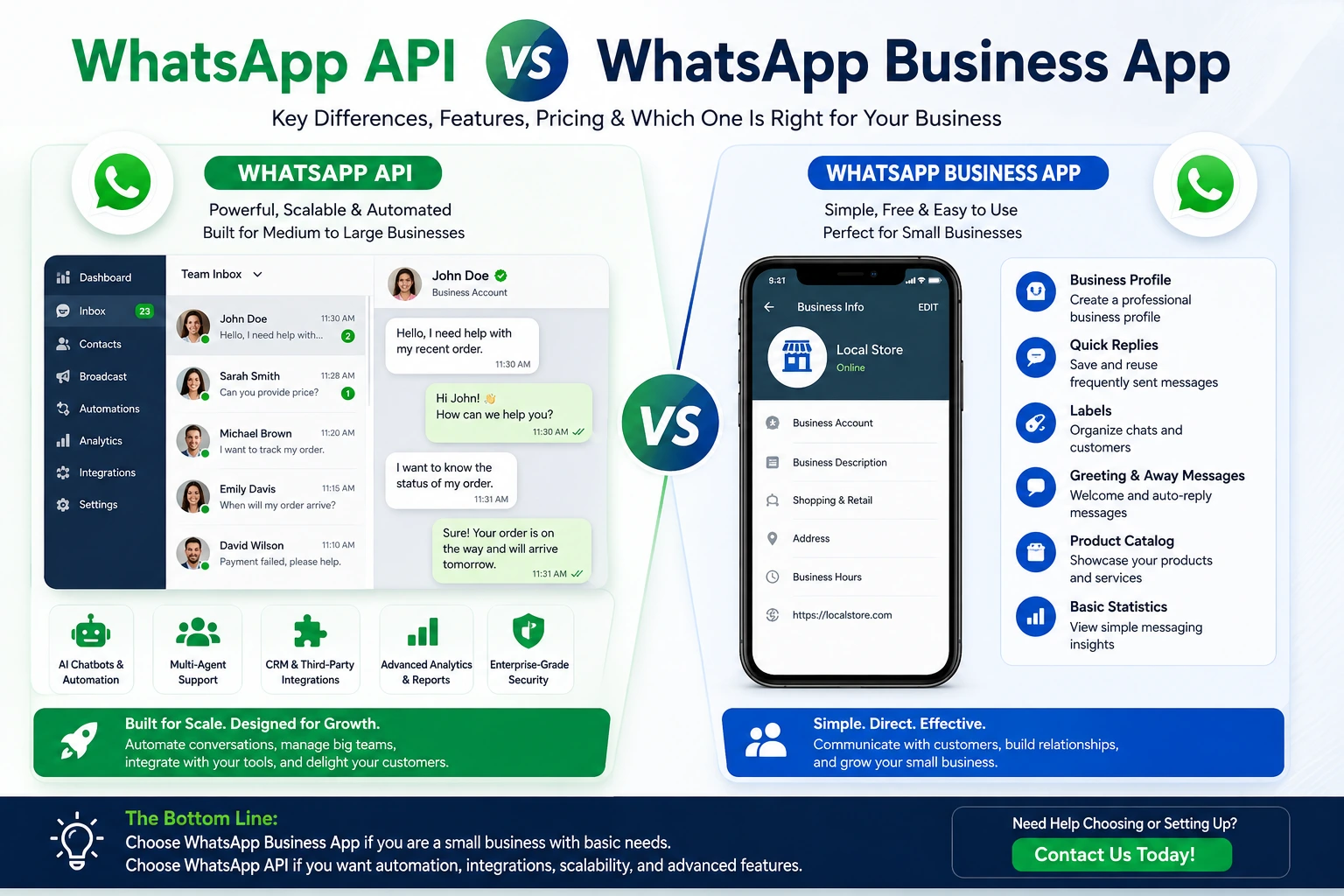
WhatsApp API vs WhatsApp Business App
WhatsApp API vs WhatsApp Business App is one of the most common comparisons for businesses looking to improve customer communication. While both solutions are designed by Meta for business messaging, they serve different purposes and are built for different stages of business growth.
If you’re unsure whether you should continue using the free WhatsApp Business App or upgrade to the WhatsApp API, this guide explains the key differences, features, pricing, automation capabilities, CRM integrations, and which option is best for your business.
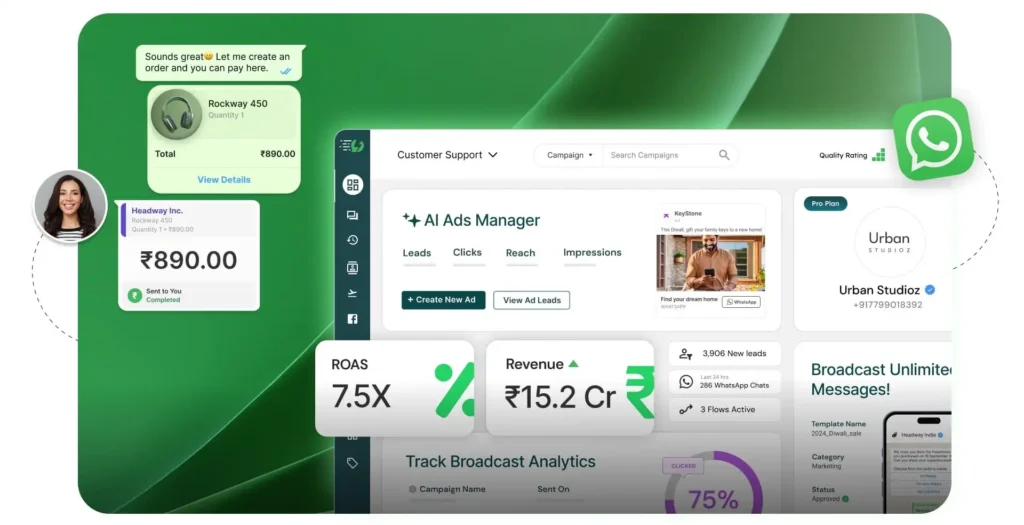
This is where the WhatsApp API becomes a game-changer.
Although both solutions are designed for business communication, they are built for different types of businesses and offer very different capabilities. The WhatsApp Business App is ideal for small businesses that manage customer conversations manually, while the WhatsApp API is built for companies that require automation, CRM integration, multi-agent support, AI chatbots, and scalable customer communication.
If you’re unsure which option is right for your business, this guide will explain everything you need to know.
By the end of this article, you’ll understand:
- What WhatsApp API is
- What WhatsApp Business App is
- The major differences between them
- Which businesses should use each solution
- Advantages and limitations
- How to choose the best option for your business
- When it’s time to upgrade to the API
Whether you own an online store, marketing agency, SaaS company, healthcare clinic, educational institution, or any growing business, this comparison will help you make an informed decision.
Table of Contents
- What Is WhatsApp API?
- What Is WhatsApp Business App?
- WhatsApp API vs WhatsApp Business App: Quick Comparison
- Key Differences Explained
- Features Comparison
- Pricing Comparison
- Automation Capabilities
- CRM & Third-Party Integrations
- Multi-Agent Support
- Security & Compliance
- Which Option Is Best for Your Business?
- Frequently Asked Questions
- Final Verdict
What Is WhatsApp API?
The WhatsApp API (also known as the WhatsApp Business Platform) is Meta’s enterprise messaging solution designed for businesses that need to communicate with customers at scale.
Unlike the standard app, the API enables companies to connect WhatsApp with customer relationship management (CRM) systems, helpdesk software, eCommerce platforms, AI chatbots, and marketing automation tools.
It is ideal for businesses that receive a high volume of customer messages and want to automate conversations while maintaining a professional customer experience.
Common capabilities include:
- Automated customer support
- AI chatbot integration
- Multi-agent inbox
- CRM integration
- Broadcast messaging
- Message templates
- Customer notifications
- Order updates
- Appointment reminders
- Marketing campaigns
Because the API is designed for scalability, it is widely used by medium-sized businesses, agencies, and large enterprises.
What Is WhatsApp Business App?
The WhatsApp Business App is a free mobile application created for small businesses that want a simple way to communicate with customers.
It includes basic business features such as:
- Business profile
- Quick replies
- Greeting messages
- Away messages
- Product catalog
- Labels
- Basic messaging statistics
The app is easy to use and requires no technical setup. Business owners can install it on a smartphone and start communicating with customers within minutes.
However, as a business grows, the app’s limitations become more noticeable. It does not support advanced automation, CRM integrations, AI chatbots, or multiple team members working from the same account.
For businesses with increasing customer inquiries, these limitations often make the API a more suitable long-term solution.
Why Does This Comparison Matter?
Many businesses initially choose the WhatsApp Business App because it is free and simple to use.
As customer demand increases, they begin facing challenges such as:
- Slow response times
- Limited team collaboration
- Manual customer support
- Difficulty managing large message volumes
- Lack of automation
- No integration with existing business tools
This is when many organizations decide to migrate to the WhatsApp API.
Understanding the differences before making that transition can save time, reduce operational costs, and help you select the right communication solution from the beginning.
Who Should Read This Guide?
This guide is ideal for:
- Small business owners
- eCommerce store owners
- Digital marketing agencies
- SaaS companies
- Customer support teams
- Healthcare providers
- Educational institutions
- Real estate businesses
- Travel agencies
- Enterprises planning to automate customer communication
If your business relies on WhatsApp to communicate with customers, this comparison will help you determine whether the free app is enough or if it’s time to upgrade.
Suggested Internal Links
- What Is WhatsApp Business API?
- Buy WhatsApp API
- WhatsApp API Pricing Guide
- WhatsApp API Setup Service
- Meta Business Verification
- WhatsApp Chatbot Integration
Recommended External Resources
- https://business.whatsapp.com/
- https://developers.facebook.com/docs/whatsapp/
- https://www.facebook.com/business/help
WhatsApp API vs WhatsApp Business App: Detailed Feature Comparison
Now that you understand the basics of both solutions, it’s time to compare them side by side. While both are designed for business communication, they serve different business needs.
The WhatsApp Business App is perfect for entrepreneurs and small businesses managing customer conversations manually. In contrast, the WhatsApp API is built for organizations that need automation, integrations, and the ability to scale customer communication efficiently.
Quick Comparison Table
Feature WhatsApp Business App WhatsApp API Best For Small businesses Growing businesses & enterprises Price Free Conversation-based pricing Multi-Agent Support ❌ No ✅ Yes AI Chatbot ❌ No ✅ Yes CRM Integration ❌ No ✅ Yes Marketing Automation Limited Advanced Broadcast Messaging Basic Advanced (Policy Compliant) Message Templates ❌ No ✅ Yes Analytics Basic Advanced Team Collaboration Limited Excellent Scalability Low High API Access ❌ No ✅ Yes At a glance, the biggest difference is scalability. The app focuses on manual communication, while the API enables businesses to automate and manage thousands of customer conversations.
Feature Comparison
Business Profile
Both solutions allow businesses to create a professional profile that includes:
- Business name
- Logo
- Description
- Address
- Website
- Business hours
- Contact information
Winner: Tie
Customer Messaging
The WhatsApp Business App requires manual replies for most conversations.
The WhatsApp API allows businesses to automate responses, route conversations to the correct department, and integrate AI-powered assistants for faster support.
Winner: WhatsApp API
Automation
Automation is one of the biggest reasons businesses upgrade to the API.
WhatsApp Business App
Supports only basic automation such as:
- Greeting messages
- Away messages
- Quick replies
WhatsApp API
Supports advanced automation including:
- AI chatbots
- Lead qualification
- Appointment scheduling
- Order tracking
- Payment reminders
- Customer follow-ups
- Workflow automation
- Smart routing
Businesses can provide support 24/7 without requiring a team member to respond to every message.
Winner: WhatsApp API
Multi-Agent Support
Growing businesses usually have multiple customer support representatives.
The WhatsApp Business App is designed primarily for a single device or a limited linked-device setup, making it difficult for larger teams to collaborate efficiently.
With the WhatsApp API, multiple agents can handle customer conversations from one business number through a shared inbox or integrated customer support platform.
Benefits include:
- Faster response times
- Better workload distribution
- Improved customer satisfaction
- Centralized conversation management
- Supervisor monitoring
For customer support teams, this feature alone can significantly improve operational efficiency.
Winner: WhatsApp API
CRM Integration
Most growing businesses already use CRM software to manage customers.
The WhatsApp Business App cannot directly integrate with popular CRM platforms.
The WhatsApp API connects with systems such as:
- Salesforce
- HubSpot
- Zoho CRM
- Pipedrive
- Microsoft Dynamics
- Shopify
- WooCommerce
- WordPress
- GoHighLevel
- Zapier
- Make
- n8n
This allows businesses to:
- Store conversation history
- Track customer interactions
- Automate sales pipelines
- Trigger personalized follow-ups
- Improve lead management
Instead of switching between different tools, teams can manage customer communication from one centralized system.
Winner: WhatsApp API
Pricing Comparison
Pricing is another important factor when choosing between these two solutions.
WhatsApp Business App
The app is free to download and use.
It is an excellent option for:
- Freelancers
- Local shops
- Small businesses
- Startups with limited messaging needs
WhatsApp API
The API uses conversation-based pricing set by Meta, and many providers may also charge setup or platform fees depending on the services you choose.
Costs can vary based on:
- Customer location
- Conversation category
- Monthly message volume
- API provider
- Additional integrations
Although the API has associated costs, many businesses find that the increased efficiency and automation justify the investment.
Winner: Depends on business size and requirements.
Security & Reliability
Customer trust is essential.
Both solutions use WhatsApp’s end-to-end encryption for messages.
However, the API provides additional advantages through enterprise-grade integrations, centralized administration, access controls, and compliance-friendly workflows when implemented correctly.
Businesses can also assign role-based permissions, helping protect sensitive customer data.
Winner: WhatsApp API
Marketing & Customer Engagement
Marketing capabilities differ significantly.
WhatsApp Business App
Businesses can manually communicate with customers and maintain a product catalog, but marketing features remain limited.
WhatsApp API
Businesses can run approved messaging campaigns using Meta-compliant message templates for:
- Promotions
- Product launches
- Discount offers
- Appointment reminders
- Order updates
- Customer re-engagement
This helps maintain consistent communication while following WhatsApp’s business messaging policies.
Winner: WhatsApp API
Scalability
A solution that works today should also support tomorrow’s growth.
The WhatsApp Business App is ideal for handling a relatively small number of daily conversations.
As customer inquiries increase, manual communication becomes more difficult.
The WhatsApp API is designed to scale with your business, allowing companies to automate repetitive tasks, support larger teams, and manage higher messaging volumes without sacrificing customer experience.
Winner: WhatsApp API
Which Businesses Should Choose the WhatsApp Business App?
The WhatsApp Business App is a good choice if you:
- Are just starting your business
- Receive a low number of daily inquiries
- Manage customer communication yourself
- Don’t need CRM integration
- Don’t require automation
- Have a limited budget
Which Businesses Should Choose the WhatsApp API?
The WhatsApp API is recommended if you:
- Receive a high volume of customer messages
- Need multiple support agents
- Want AI chatbot automation
- Use CRM software
- Run an eCommerce business
- Manage marketing campaigns
- Need professional customer communication
- Plan to scale your business
Best Choice for Growing Businesses
If your business is growing rapidly, investing in the WhatsApp API can help you automate communication, improve customer service, and increase operational efficiency.
Many companies start with the WhatsApp Business App, but as their customer base expands, they eventually migrate to the API to unlock advanced features that support long-term growth.